Change Default Language
The default language is changed from the Admin Panel, not from the mobile app code.
Steps
- Login to the Admin Panel.
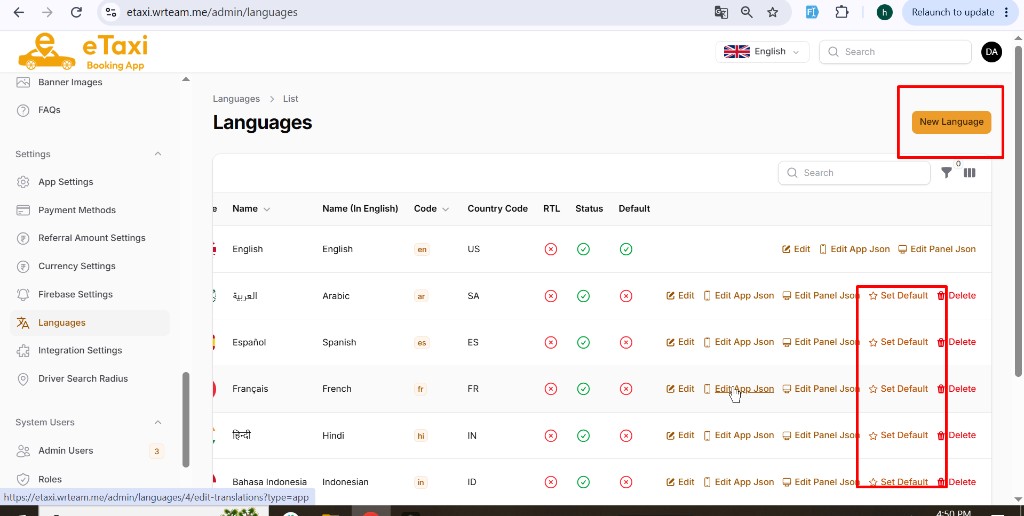
- Go to Settings → Languages.
- In the language list, find the language you want as default.
- Click Set Default (star icon) for that language.
- The selected language will become the default (shown with a green check under Default).