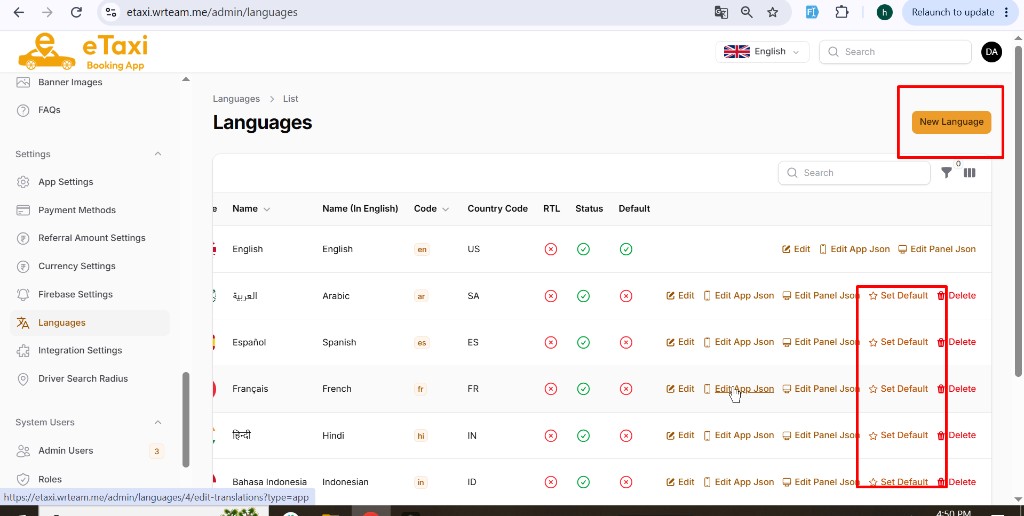
Add Languages
New languages are added from the Admin Panel, not from the mobile app code.
Steps
- Login to the Admin Panel.
- Go to Settings → Languages.
- Click the New Language button (top right).
- Fill language details (Name, English name, Code, Country Code, RTL, Status).
- Save the language.
- If needed, use Edit App Json / Edit Panel Json to add translations for the mobile app and admin panel.